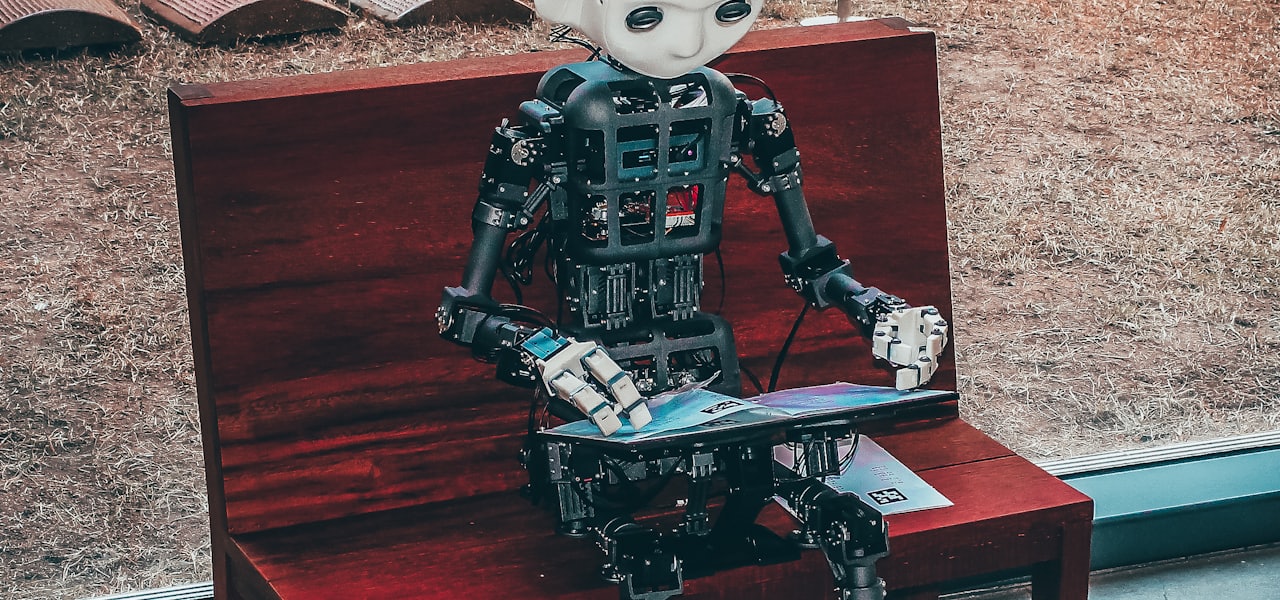
An AI browser is a web browser with integrated artificial intelligence capabilities, such as automatically summarizing web page content or answering questions about it. A more specialized type is an agentic browser, based on the concept of agentic AI, which can take actions – such as navigating webpages or filling out forms – on behalf of the user. Several agentic browsers emerged in 2025, including ChatGPT Atlas (macOS only), Comet, and Dia. As of 2025, this is a recent development in the browser market, including new entrants from OpenAI, Opera and Perplexity. The designation of 'AI browser' also includes established browsers that later added non-agentic AI features, such as Microsoft Edge with the Copilot chatbot, Google Chrome with the Gemini chatbot (for Windows desktop users in the US with their language set to English), and Firefox with multiple chatbot providers (such as ChatGPT, Claude, Copilot, Gemini, and Le Chat). AI browsers have been noted to be susceptible to prompt injection attacks. == Browser extensions and integrations == Rather than creating entirely new browsers, some AI browsing solutions integrate with existing browsers through extensions or companion applications. These tools add agentic capabilities to established browsers without requiring users to switch platforms. Examples include Composite, which functions as a cross-browser agent that works with Chrome, Edge, and other browsers to automate web-based tasks for workers. == Cloud-based implementations == Cloud-based implementations of AI browsers allow users to run automated browsing agents without local installation. These systems operate on remote servers using frameworks such as Puppeteer or Playwright. Examples include Browserbase, Browser-use and AI Browser. The AI typically parses the Document Object Model (DOM) to locate and interact with page elements, and may also analyze browser screenshots to interpret layout and structure. == Criticisms and dangers == AI browsers have been noted to be susceptible to being vulnerable to prompt injection attacks, in which the content of websites can be used to hijack the control of the browser. Multiple organisations have argued against using AI browsers due to this vulnerability. The United Kingdom national cyber security centre and Gartner consider them to be too risky for adoption by most organisations. A study by the CISPA Helmholtz Center and Saarland University concluded that this vulnerability makes them easy targets for malware, fraud, automated defamation, disinformation and biased outputs.
Deep learning
In machine learning, deep learning (DL) focuses on utilizing multilayered neural networks to perform tasks such as classification, regression, and representation learning. The field takes inspiration from biological neuroscience and revolves around stacking artificial neurons into layers and "training" them to process data. The adjective "deep" refers to the use of multiple layers (ranging from three to several hundred or thousands) in the network. Methods used can be supervised, semi-supervised or unsupervised. Some common deep learning network architectures include fully connected networks, deep belief networks, recurrent neural networks, convolutional neural networks, generative adversarial networks, transformers, and neural radiance fields. These architectures have been applied to fields including computer vision, speech recognition, natural language processing, machine translation, bioinformatics, drug design, medical image analysis, climate science, material inspection and board game programs, where they have produced results comparable to and in some cases surpassing human expert performance. Early forms of neural networks were inspired by information processing and distributed communication nodes in biological systems, particularly the human brain. However, current neural networks do not intend to model the brain function of organisms, and are generally seen as low-quality models for that purpose. == Overview == Most modern deep learning models are based on multi-layered neural networks such as convolutional neural networks and transformers, although they can also include propositional formulas or latent variables organized layer-wise in deep generative models such as the nodes in deep belief networks and deep Boltzmann machines. Fundamentally, deep learning refers to a class of machine learning algorithms in which a hierarchy of layers is used to transform input data into a progressively more abstract and composite representation. For example, in an image recognition model, the raw input may be an image (represented as a tensor of pixels). The first representational layer may attempt to identify basic shapes such as lines and circles, the second layer may compose and encode arrangements of edges, the third layer may encode a nose and eyes, and the fourth layer may recognize that the image contains a face. Importantly, a deep learning process can learn which features to optimally place at which level on its own. Prior to deep learning, machine learning techniques often involved hand-crafted feature engineering to transform the data into a more suitable representation for a classification algorithm to operate on. In the deep learning approach, features are not hand-crafted and the model discovers useful feature representations from the data automatically. This does not eliminate the need for hand-tuning; for example, varying numbers of layers and layer sizes can provide different degrees of abstraction. The word "deep" in "deep learning" refers to the number of layers through which the data is transformed. More precisely, deep learning systems have a substantial credit assignment path (CAP) depth. The CAP is the chain of transformations from input to output. CAPs describe potentially causal connections between input and output. For a feedforward neural network, the depth of the CAPs is that of the network and is the number of hidden layers plus one (as the output layer is also parameterized). For recurrent neural networks, in which a signal may propagate through a layer more than once, the CAP depth is potentially unlimited. No universally agreed-upon threshold of depth divides shallow learning from deep learning, but most researchers agree that deep learning involves CAP depth higher than two. CAP of depth two has been shown to be a universal approximator in the sense that it can emulate any function. Beyond that, more layers do not add to the function approximator ability of the network. Deep models (CAP > two) are able to extract better features than shallow models and hence, extra layers help in learning the features effectively. Deep learning architectures can be constructed with a greedy layer-by-layer method. Deep learning helps to disentangle these abstractions and pick out which features improve performance. Deep learning algorithms can be applied to unsupervised learning tasks. This is an important benefit because unlabeled data is more abundant than labeled data. Examples of deep structures that can be trained in an unsupervised manner are deep belief networks. The term deep learning was introduced to the machine learning community by Rina Dechter in 1986, and to artificial neural networks by Igor Aizenberg and colleagues in 2000, in the context of Boolean threshold neurons. The etymology of the term is more complicated. == Interpretations == Deep neural networks are generally interpreted in terms of the universal approximation theorem or probabilistic inference. The classic universal approximation theorem concerns the capacity of feedforward neural networks with a single hidden layer of finite size to approximate continuous functions. In 1989, the first proof was published by George Cybenko for sigmoid activation functions and was generalised to feed-forward multi-layer architectures in 1991 by Kurt Hornik. Recent work also showed that universal approximation also holds for non-bounded activation functions such as Kunihiko Fukushima's rectified linear unit. The universal approximation theorem for deep neural networks concerns the capacity of networks with bounded width but the depth is allowed to grow. Lu et al. proved that if the width of a deep neural network with ReLU activation is strictly larger than the input dimension, then the network can approximate any Lebesgue integrable function; if the width is smaller or equal to the input dimension, then a deep neural network is not a universal approximator. The probabilistic interpretation derives from the field of machine learning. It features inference, as well as the optimization concepts of training and testing, related to fitting and generalization, respectively. More specifically, the probabilistic interpretation considers the activation nonlinearity as a cumulative distribution function. The probabilistic interpretation led to the introduction of dropout as regularizer in neural networks. The probabilistic interpretation was introduced by researchers including Hopfield, Widrow and Narendra and popularized in surveys such as the one by Bishop. == History == === Before 1980 === There are two types of artificial neural network (ANN): feedforward neural network (FNN) or multilayer perceptron (MLP) and recurrent neural networks (RNN). RNNs have cycles in their connectivity structure, whereas FNNs do not. In the 1920s, Wilhelm Lenz and Ernst Ising created the Ising model which is essentially a non-learning RNN architecture consisting of neuron-like threshold elements. In 1972, Shun'ichi Amari made this architecture adaptive. His learning RNN was republished by John Hopfield in 1982. Other early recurrent neural networks were published by Kaoru Nakano in 1971. Already in 1948, Alan Turing produced work on "Intelligent Machinery" that was not published in his lifetime, containing "ideas related to artificial evolution and learning RNNs". Frank Rosenblatt (1958) proposed the perceptron, an MLP with 3 layers: an input layer, a hidden layer with randomized weights that did not learn, and an output layer. He later published a 1962 book that also introduced variants and computer experiments, including a version with four-layer perceptrons "with adaptive preterminal networks" where the last two layers have learned weights (here he credits H. D. Block and B. W. Knight). The book cites an earlier network by R. D. Joseph (1960) "functionally equivalent to a variation of" this four-layer system (the book mentions Joseph over 30 times). Should Joseph therefore be considered the originator of proper adaptive multilayer perceptrons with learning hidden units? Unfortunately, the learning algorithm was not a functional one, and fell into oblivion. The first working deep learning algorithm was the Group method of data handling, a method to train arbitrarily deep neural networks, published by Alexey Ivakhnenko and Lapa in 1965. They regarded it as a form of polynomial regression, or a generalization of Rosenblatt's perceptron to handle more complex, nonlinear, and hierarchical relationships. A 1971 paper described a deep network with eight layers trained by this method, which is based on layer by layer training through regression analysis. Superfluous hidden units are pruned using a separate validation set. Since the activation functions of the nodes are Kolmogorov-Gabor polynomials, these were also the first deep networks with multiplicative units or "gates". The first deep learning multilayer perceptron trained by stochastic gradient descent was published in 1967 by Shun'ichi
Termcap
Termcap (terminal capability) is a legacy software library and database used on Unix-like computers that enables programs to use display computer terminals in a terminal-independent manner, which greatly simplifies the process of writing portable text mode applications. It was superseded by the terminfo database used by ncurses, tput, and other programs. A termcap database can describe the capabilities of hundreds of different display terminals. This allows programs to have character-based display output, independent of the type of terminal. On-screen text editors such as vi and Emacs are examples of programs that may use termcap. Other programs are listed in the Termcap category. Access to the termcap database was usually provided by separate libraries, e.g. GNU Termcap. Examples of what the database describes: how many columns wide the display is what string to send to move the cursor to an arbitrary position (including how to encode the row and column numbers) how to scroll the screen up one or several lines how much padding is needed for such a scrolling operation. == History == Bill Joy wrote the first termcap library in 1978 for the Berkeley Unix operating system; it has since been ported to most Unix and Unix-like environments, even OS-9. Joy's design was reportedly influenced by the design of the terminal data store in the earlier Incompatible Timesharing System. == Data model == Termcap databases consist of one or more descriptions of terminals. === Indices === Each description must contain the canonical name of the terminal. It may also contain one or more aliases for the name of the terminal. The canonical name or aliases are the keys by which the library searches the termcap database. === Data values === The description contains one or more capabilities, which have conventional names. The capabilities are typed: boolean, numeric and string. The termcap library has no predetermined type for each capability name. It determines the types of each capability by the syntax: string capabilities have an "=" between the capability name and its value, numeric capabilities have a "#" between the capability name and its value, and boolean capabilities have no associated value (they are always true if specified). Applications which use termcap do expect specific types for the commonly used capabilities, and obtain the values of capabilities from the termcap database using library calls that return successfully only when the database contents matches the assumed type. === Hierarchy === Termcap descriptions can be constructed by including the contents of one description in another, suppressing capabilities from the included description or overriding or adding capabilities. No matter what storage model is used, the termcap library constructs the terminal description from the requested description, including, suppressing or overriding at the time of the request. == Storage model == Termcap data is stored as text, making it simple to modify. The text can be retrieved by the termcap library from files or environment variables. === Environment variables === The TERM environment variable contains the terminal type name. The TERMCAP environment variable may contain a termcap database. It is most often used to store a single termcap description, set by a terminal emulator to provide the terminal's characteristics to the shell and dependent programs. The TERMPATH environment variable is supported by newer termcap implementations and defines a search path for termcap files. === Flat file === The original (and most common) implementation of the termcap library retrieves data from a flat text file. Searching a large termcap file, e.g., 500 kB, can be slow. To aid performance, a utility such as reorder is used to put the most frequently used entries near the beginning of the file. === Hashed database === 4.4BSD based implementations of termcap store the terminal description in a hashed database (e.g., something like Berkeley DB version 1.85). These store two types of records: aliases which point to the canonical entry, and the canonical entry itself. The text of the termcap entry is stored literally. == Limitations and extensions == The original termcap implementation was designed to use little memory: the first name is two characters, to fit in 16 bits capability names are two characters descriptions are limited to 1023 characters. only one termcap entry with its definitions can be included, and must be at the end. Newer implementations of the termcap interface generally do not require the two-character name at the beginning of the entry. Capability names are still two characters in all implementations. The tgetent function used to read the terminal description uses a buffer whose size must be large enough for the data, and is assumed to be 1024 characters. Newer implementations of the termcap interface may relax this constraint by allowing a null pointer in place of the fixed buffer, or by hiding the data which would not fit, e.g., via the ZZ capability in NetBSD termcap. The terminfo library interface also emulates the termcap interface, and does not actually use the fixed-size buffer. The terminfo library's emulation of termcap allows multiple other entries to be included without restricting the position. A few other newer implementations of the termcap library may also provide this ability, though it is not well documented. == Obsolete features == A special capability, the "hz" capability, was defined specifically to support the Hazeltine 1500 terminal, which had the unfortunate characteristic of using the ASCII tilde character ('~') as a control sequence introducer. In order to support that terminal, not only did code that used the database have to know about using the tilde to introduce certain control sequences, but it also had to know to substitute another printable character for any tildes in the displayed text, since a tilde in the text would be interpreted by the terminal as the start of a control sequence, resulting in missing text and screen garbling. Additionally, attribute markers (such as start and end of underlining) themselves took up space on the screen. Comments in the database source code often referred to this as "Hazeltine braindamage". Since the Hazeltine 1500 was a widely used terminal in the late 1970s, it was important for applications to be able to deal with its limitations.
Graphical Kernel System
The Graphical Kernel System (GKS) is a 2D computer graphics system using vector graphics, introduced in 1977. It was suitable for making line and bar charts and similar tasks. A key concept was cross-system portability, based on an underlying coordinate system that could be represented on almost any hardware. GKS is best known as the basis for the graphics in the GEM GUI system used on the Atari ST and as part of Ventura Publisher. A draft international standard was circulated for review in September 1983. Final ratification of the standard was achieved in 1985, making it the first ISO graphics standard. A 3D system modelled on GKS was introduced as PHIGS, which saw some use in the 1980s and early 1990s. == Overview == GKS provides a set of drawing features for two-dimensional vector graphics suitable for charting and similar duties. The calls are designed to be portable across different programming languages, graphics devices and hardware, so that applications written to use GKS will be readily portable to many platforms and devices. GKS was fairly common on computer workstations in the 1980s and early 1990s. GKS formed the basis of Digital Research's GSX which evolved into VDI, one of the core components of GEM. GEM was the native GUI on the Atari ST and was occasionally seen on PCs, particularly in conjunction with Ventura Publisher. GKS was little used commercially outside these markets, but remains in use in some scientific visualization packages. It is also the underlying API defining the Computer Graphics Metafile. One popular application based on an implementation of GKS is the GR Framework, a C library for high-performance scientific visualization that has become a common plotting backend among Julia users. A main developer and promoter of the GKS was José Luis Encarnação, formerly director of the Fraunhofer Institute for Computer Graphics (IGD) in Darmstadt, Germany. GKS has been standardized in the following documents: ANSI standard ANSI X3.124 of 1985. ISO 7942:1985 standard, revised as ISO 7942:1985/Amd 1:1991 and ISO/IEC 7942-1:1994, as well as ISO/IEC 7942-2:1997, ISO/IEC 7942-3:1999 and ISO/IEC 7942-4:1998 The language bindings are ISO standard ISO 8651. GKS-3D (Graphical Kernel System for Three Dimensions) functional definition is ISO standard ISO 8805, and the corresponding C bindings are ISO/IEC 8806. The functionality of GKS is wrapped up as a data model standard in the STEP standard, section ISO 10303-46.
Digital on-screen graphic
A digital on-screen graphic, digitally originated graphic (DOG, bug, network bug, on-screen bug or screenbug) is a watermark-like station logo that most television broadcasters overlay over a portion of the screen area of their programs to identify the channel. They are thus a form of permanent visual station identification, increasing brand recognition and asserting ownership of the video signal. The graphic identifies the source of programming, even if it has been time-shifted or recorded. Many of these technologies allow viewers to skip or omit traditional between-programming station identification; thus the use of a DOG enables the station or network to enforce brand identification even when standard commercials are skipped. DOG watermarking helps to reduce off-the-air copyright infringement—for example, the distribution of a current series' episodes on DVD: the watermarked content is easily differentiated from "official" DVD releases, and can help identify not only the station from which the broadcast was captured, but usually the actual date of the broadcast as well. Graphics may be used to identify if the correct subscription is being used for a type of venue. For example, showing Sky Sports within a pub in the United Kingdom requires a more expensive subscription; a channel authorized under this subscription adds a pint glass graphic to the bottom of the screen for inspectors to see. The graphic changes at certain times, making it harder to counterfeit. On the other hand, watermarks pollute the picture, distract viewers' attention and may cover an important piece of information presented in the television program. Extremely bright watermarks may cause screen burn-in or image persistence on some types of television sets such as the now mostly discontinued and rarely used plasma and CRT displays, and currently commonly used OLED and LCD displays. Usage of visually perceptible embedded watermarks requires the program author to have a separate clean copy for archival purposes, but this practice was not common decades ago when watermarking became popular among broadcasters. Watermarks present an issue when archival videos are used for a documentary that strives to create a coherent story. In some cases, watermarks are blurred or digitally removed if possible to clean up the picture. In the absence of visually perceptible watermarks, content control can be ensured with visually imperceptible digital watermarks. In some cases, the graphic also shows the name of the current program. Some television networks may place additional logos or text alongside their DOG to advertise significant upcoming programs. For example, broadcasters of the Olympic Games (most notably United States broadcaster NBC) often add the Olympic rings to their DOG for a period of time leading up to and during the Games. == Usage == == Connections with sponsor tags == Another graphic on television usually connected with sports (particularly in North America, though not in Europe) is the sponsor tag. It shows the logos of certain sponsors, accompanied by some background relevant to the game, the network logo, announcement and music of some kind. == Usage in ham radio and television == In most countries, the ham station is required to periodically identify their amateur-television transmission. Such stations frequently overlay their callsign on the signal instead of placing a card in the background. Most hams use homebuilt devices or old consumer character generators to generate such identifications rather than using graphical superimposes of high cost to do so. Only rarely one can see real graphics, as the callsign is usually written in the "OSD font". == Live DOGs by hobbyists == One of the easiest and most sought-after devices used to generate DOGs by hobbyists is the 1980s vintage Sony XV-T500 video superimposer. This device can luma-key a signal, capture a still frame into memory and then overlay the keyed graphic in one of eight colors onto any CVBS signal. Another method commonly used by hobbyists and even low-budgeted television stations was Amiga computers with genlock interfaces.
Closest point method
The closest point method (CPM) is an embedding method for solving partial differential equations on surfaces. The closest point method uses standard numerical approaches such as finite differences, finite element or spectral methods in order to solve the embedding partial differential equation (PDE) which is equal to the original PDE on the surface. The solution is computed in a band surrounding the surface in order to be computationally efficient. In order to extend the data off the surface, the closest point method uses a closest point representation. This representation extends function values to be constant along directions normal to the surface. == Definitions == Closest Point function: Given a surface S , c p ( x ) {\displaystyle {\mathcal {S}},cp(\mathbf {x} )} refers to a (possibly non-unique) point belonging to S {\displaystyle {\mathcal {S}}} , which is closest to x {\displaystyle \mathbf {x} } [SE]. Closest point extension: Let S {\displaystyle {\mathcal {S}}} , be a smooth surface in R d {\displaystyle \mathbb {R} ^{d}} . The closest point extension of a function u : S → R {\displaystyle u:{\mathcal {S}}\rightarrow \mathbb {R} } , to a neighborhood Ω {\displaystyle \Omega } of S {\displaystyle {\mathcal {S}}} , is the function v : Ω → R {\displaystyle v:\Omega \rightarrow \mathbb {R} } , defined by v ( x ) = u ( c p ( x ) ) {\displaystyle v(\mathbf {x} )=u(cp(\mathbf {x} ))} . == Closest point method == Initialization consists of these steps [EW]: If it is not already given, a closest point representation of the surface is constructed. A computational domain is chosen. Typically this is a band around the surface. Replace surface gradients by standard gradients in R 3 {\displaystyle \mathbb {R} ^{3}} . Solution is initialized by extending the initial surface data on to the computational domain using the closest point function. After initialization, alternate between the following two steps: Using the closest point function, extend the solution off the surface to the computational domain. Compute the solution to the embedding PDE on a Cartesian mesh in the computational domain for one time step. == Banding == The surface PDE is extended into R 3 {\displaystyle \mathbb {R} ^{3}} however it is only necessary to solve this new PDE near the surface. Hence, we solve the PDE in a band surrounding the surface for efficient computational purposes. Ω c x : ‖ x − c p ( x ) ‖ 2 ≤ λ {\displaystyle \Omega _{c}{x:\|x-cp(x)\|_{2}\leq \lambda }} where λ {\displaystyle \lambda } is the bandwidth. == Example: Heat equation on a circle == Using initial profile u S ( θ , t ) = sin ( θ ) {\displaystyle u_{S}(\theta ,t)=\sin(\theta )} leads to the solution u S ( θ , t ) = exp ( − t ) sin ( θ ) {\displaystyle u_{S}(\theta ,t)=\exp(-t)\sin(\theta )} for the heat equation. Forward Euler time-stepping is used with relation Δ t = 0.1 Δ x 2 {\displaystyle \Delta t=0.1\Delta x^{2}} and degree-four interpolation polynomials for the interpolations. Second-order centered differences are used for the spatial discretization. The CPM results in the expected second order error in the solution u {\displaystyle u} . == Applications == The closest point method can be applied to various PDEs on surfaces. Reaction–diffusion problems on point clouds [RD], eigenvalue problems [EV], and level set equations [LS] are a few examples.
List of software palettes
This is a list of software palettes used by computers. Systems that use a 4-bit or 8-bit pixel depth can display up to 16 or 256 colors simultaneously. Many personal computers in the early 1990s displayed at most 256 different colors, freely selected by software (either by the user or by a program) from their wider hardware's RGB color palette. Usual selections of colors in limited subsets (generally 16 or 256) of the full palette includes some RGB level arrangements commonly used with the 8-bit palettes as master palettes or universal palettes (i.e., palettes for multipurpose uses). These are some representative software palettes, but any selection can be made in such of systems. For specific hardware color palettes, see the list of monochrome and RGB palettes, list of 8-bit computer hardware graphics, the list of 16-bit computer hardware graphics and the list of video game console palettes articles. Each palette is represented by an array of color patches. A one-pixel size version appears below each palette, to make it easy to compare palette sizes. For each unique palette, an image color test chart and sample image (truecolor original follows) rendered with that palette (without dithering) are given. The test chart shows the full 8-bit, 256 levels of the red, green, and blue (RGB) primary colors and cyan, magenta, and yellow complementary colors, along with a full 8-bit, 256 levels grayscale. Gradients of RGB intermediate colors (orange, lime green, sea green, sky blue, violet and fuchsia), and a full hue spectrum are also present. Color charts are not gamma corrected. These elements illustrate the color depth and distribution of the colors of any given palette, and the sample image indicates how the color selection of such palettes could represent real-life images. == System specifics == These are selections of colors officially employed as system palettes in some popular operating systems for personal computers that support 8-bit displays. === Microsoft Windows and IBM OS/2 default 16-color palette === Used by these platforms as a roughly backward compatible palette for the CGA, EGA and VGA text modes, but with colors arranged in a different order. Also, is the default palette for 16 color icons. The corresponding indices into this palette are: === Microsoft Windows default 20-color palette === In 256-color mode, there are four additional standard Windows colors, twenty system reserved colors in total; thus the system leaves 236 palette indexes free for applications to use. The system color entries inside a 256-color palette table are the first ten plus the last ten. In any case, the additional system colors do not seem to add a sharp color richness: they are only some intermediate shades of grayish colors. Since Windows 95, these additional colors can be changed by the system when a color scheme needs custom colors, reducing their utility as static, unchanging palette entries. The complete 20-color Windows system palette is: === Apple Macintosh default 16-color palette === When Apple Computer introduced the Macintosh II in 1987, this 16-color palette was included in System 4.1. === RISC OS default palette === Acorn RISC OS 2.x and 3.x provided this 16-color palette: === Solaris default 16-color palette === Solaris OS used this color palette: == RGB arrangements == These are selections of colors based in evenly ordered RGB levels which provide complete RGB combinations, mainly used as master palettes to display any kind of image within the limitations of the 8-bit pixel depth. === 6 level RGB === Having six levels for every primary, with 6³ = 216 combinations. The index can be addressed by (36×R)+(6×G)+B, with all R, G and B values in a range from 0 to 5. Intended as homogeneous RGB cube, it gives six true grays. Also, there is room for another sorts of 40 colors, so operating systems or programs can add extra colors. Systems that use this software palette are: Web-safe colors Apple Macintosh 256 color default palette. It also contains four gradients of ten shades each for gray, red, green and blue. === 6-7-6 levels RGB === This palette is constructed with six levels for red and blue primaries and seven levels for the green primary, giving 6×7×6 = 252 combinations. The index can be addressed by (42×R)+(6×G)+B, with R and B values in a range from 0 to 5 and G in a range from 0 to 6. The same case as the former, but with an added level of green due to the greater sensibility of the normal human eye to this frequency. It does not provide true grays, but remaining indexes can be filled with four intermediate grays. In any case, there is little room for any other color. === 6-8-5 levels RGB === This palette is constructed with six levels for red, eight levels for green and five levels for the blue primaries, giving 6×8×5 = 240 combinations. The index can be addressed by (40×R)+(5×G)+B, with R ranging from 0 to 5, G from 0 to 7 and B from 0 to 4. Levels are chosen in function of sensibility of the normal human eye to every primary color. Also, it does not provide true grays. Remaining indexes can be filled with sixteen intermediate grays or other fixed colors. In fact, this is the best balanced RGB master software palette, in a compromise between the RGB arrangement based in the human eye's sensibility and a sufficient remaining palette entries for another purposes. === 8-8-4 levels RGB === The 8-8-4 level RGB use eight levels for each of the red and green color components (3+3 high order bits), and four levels (2 low order bits) for the blue component, due to the lesser sensitivity of the normal human eye to this primary color. This results in an 8×8×4 = 256-color palette as follows: This RGB software palette occupies the full 8-bit range of possible palette entries, so there is no room for other fixed colors. Software using this palette must draw their user interface elements with the same colors used to show pictures. Also again, it does not provide true grays. == Other common uses of software palettes == === Grayscale palettes === Simple palette made doing every triplet RGB primaries having equal values as a continuous gradient from black to white through the full available palette entries. Here is the 8-bit, 256 levels palette: Used to display pure grayscale TIFF or JPEG images, for example. === Color gradient palettes === Palettes made of a continuous color gradient from darkest to lightest arbitrary hues. The pixel data is treated as if it were grayscale, but the color table plays with RGB color combinations, not only gray. The relationship between the original luminance and the mapped one can vary, but the lighting scale is preserved along all the palette entries. One very common case of such palettes is the sepia tone palette, which gives an image an old fashioned and aged look (left). Another gradient example, based on blue hues, is presented here (right), but any hue or mixing of hues can be used. Many cell phones with built-in cameras have options to take colorized photos using this technique. === Adaptive palettes === Those whose whole number of available indexes are filled with RGB combinations selected from the statistical order of appearance (usually balanced) of a concrete full true color original image. There exist many algorithms to pick the colors through color quantization; one well known is the Heckbert's median-cut algorithm. Here is the 8-bit, 256 color palette used with the color test chart and the image sample above: Adaptive palettes only work well with a unique image. Trying to display different images with adaptive palettes over an 8-bit display usually results in only one image with correct colors, because the images have different palettes and only one can be displayed at a time. Here is an example of what happens when an indexed color image is displayed with any color palette that is not its own adaptive palette: === False color palettes === Arbitrary gradient color scales, usually 256 shades, with no relationship with real colors of a given image. They are employed to artificially colorize a grayscale image to reveal details and/or to map the pixel level values to amounts of some physical magnitude (potential, temperature, altitude, etc.) Note, in the example above, that new details can be seen as blue over magenta in the background's dark areas of the original photograph. Here is the 8-bit, 256 color gradient palette used with the color test chart and the image sample above: There exist many false color palettes, some of them standardized, used mainly in scientific applications: astronomy and radioastronomy, satellite land imaging, thermography, study of materials, tomography and magnetic resonance imaging in medicine, etc.